A terminal whose unit of work is an agent, not a tab.
A tab is one agent’s workspace: its transcript, its directory, its state.The panel lists what is being worked on. A dot on each row says how it is going.
curl -fsSL https://raw.githubusercontent.com/theguriev/crook/main/script/install | shmacOS and Linux. Windows is a .zip on the releases page. MIT.
The agent reports its own status.
The program in the pane writes one escape sequence to its own terminal and exits. No socket, no pane id: the terminal it has is the pane. That is why it works from a hook, over ssh and inside a container, and why every other terminal drops it unread.
crook --agent-hooks claudeprints the hooks that make Claude Code say all of it by itself.- A row waiting on you is washed amber. The header counts them, and cmd+j goes to the next one.
- The window title carries the count, so a switcher tells three Crooks apart and says which one stopped for you.
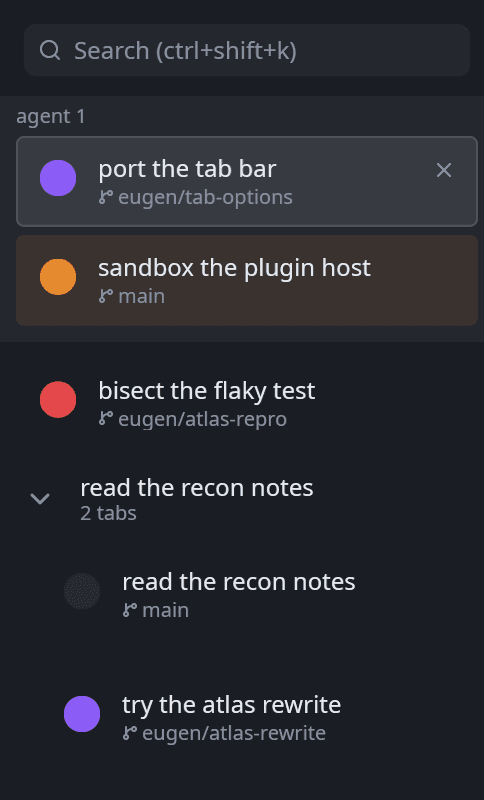
The panel as Crook renders it: one row per agent, the branch under the title, two related tabs folded into a group.
Drawn, not captured: the header chip, three rows, and the hook lines behind them.
Output is a list of commands, not one scrolling screen.
Each command is a block holding its prompt, the line that was run and everything it printed. A failed one gets a red wash; the one still running gets the stripe.
- Hover copies exactly that command and its output. No neighbour’s text, no trailing blank rows.
- Ten thousand commands survive a
clear, a resize and the emulator’s own history evicting anything. - Blocks are what find, the palette and the markdown plugin work on.
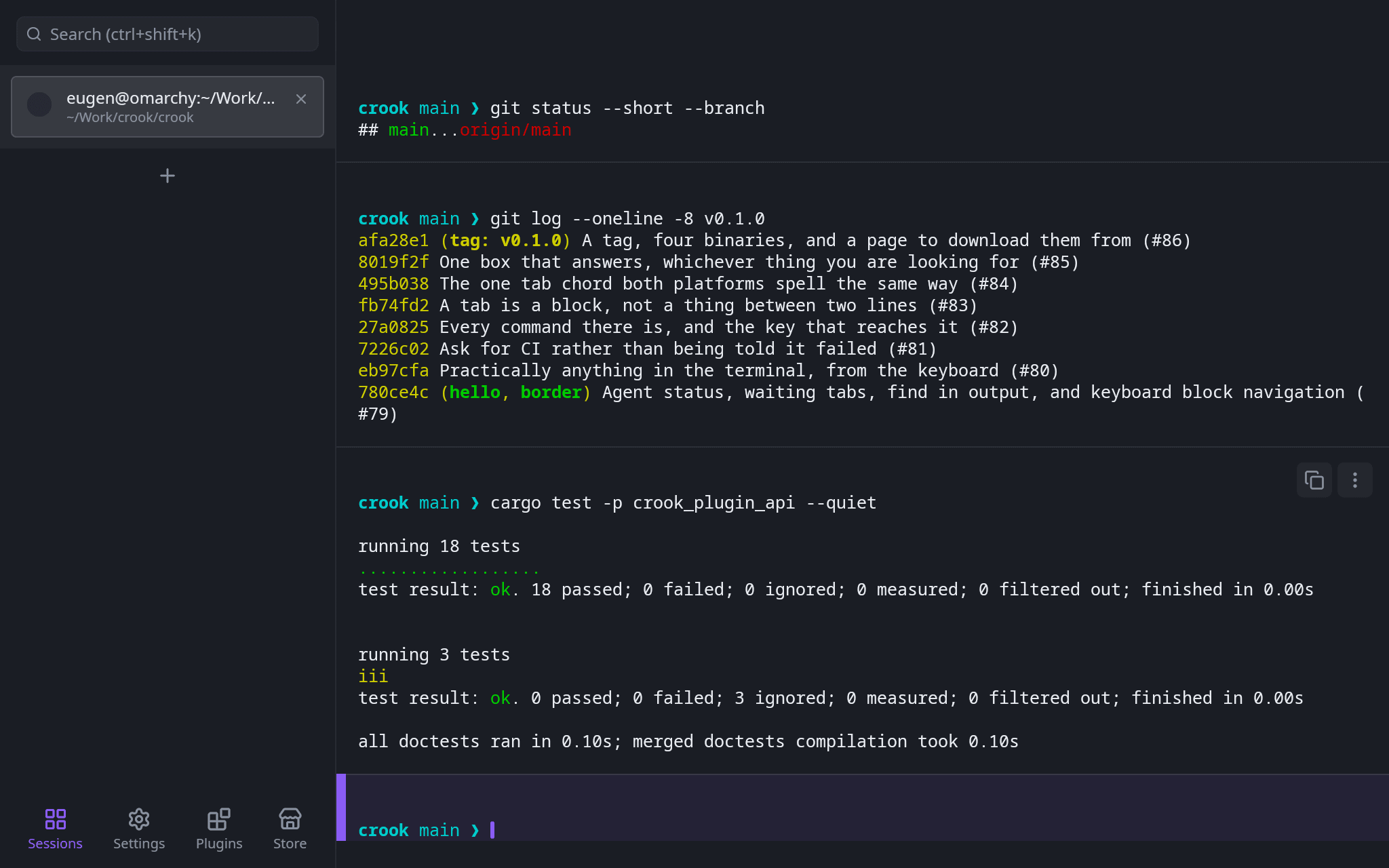
Find searches every block at once.
Every finished command and the open one, counted in the bar. The current match is in the accent, the rest in amber. It is a search and not a filter, so the lines between the hits stay where they are.
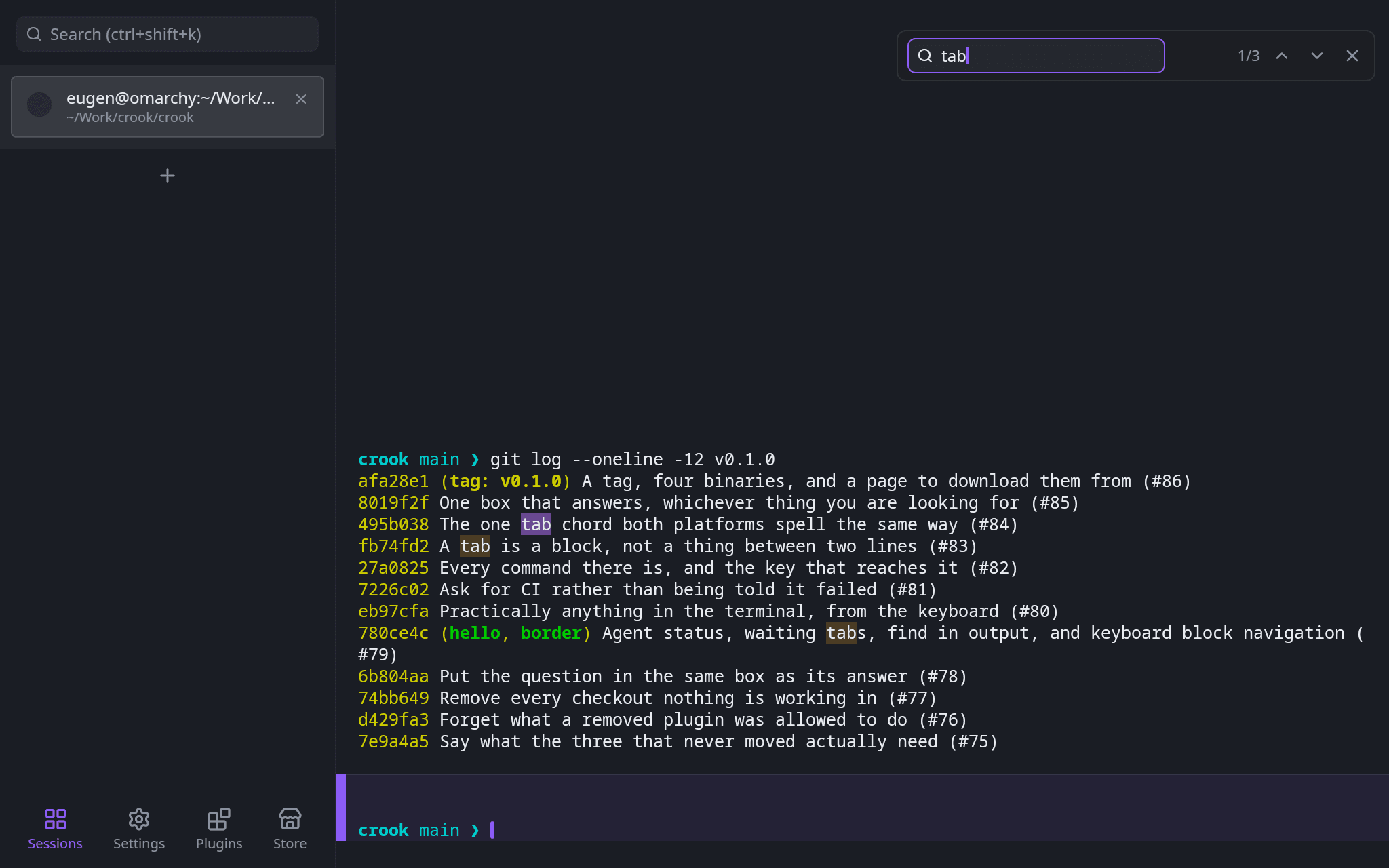
> commands · @ tabs · # settings · ? keysOne box for everything that has a name.
Commands, open tabs and every settings row, each kind under its own heading when there is more than one kind of answer. A command row prints its chord; a tab row says where it is working; a settings row opens its page with the row on screen.
- A sigil narrows the list to one kind, and tab walks between them.
?answers “what is bound to what” from the same box.
A plugin describes what it wants drawn. The host paints it.
A module runs in an interpreter with no filesystem, no network and no clock of its own. It names a badge, a meter, a chip, a panel; Crook draws them in the theme, so a plugin names no colour and no pixel. Anything from the machine it has to ask for, in sentences, and the card is where they are answered.
- The Store fetches one static
index.json. No account, no machine id, nothing about what you have installed. - Every artifact in the registry is built from source by CI and hashed. Previews live inside the module.
crook --dev-plugin .runs the one you are writing straight out oftarget/, and again on every build.


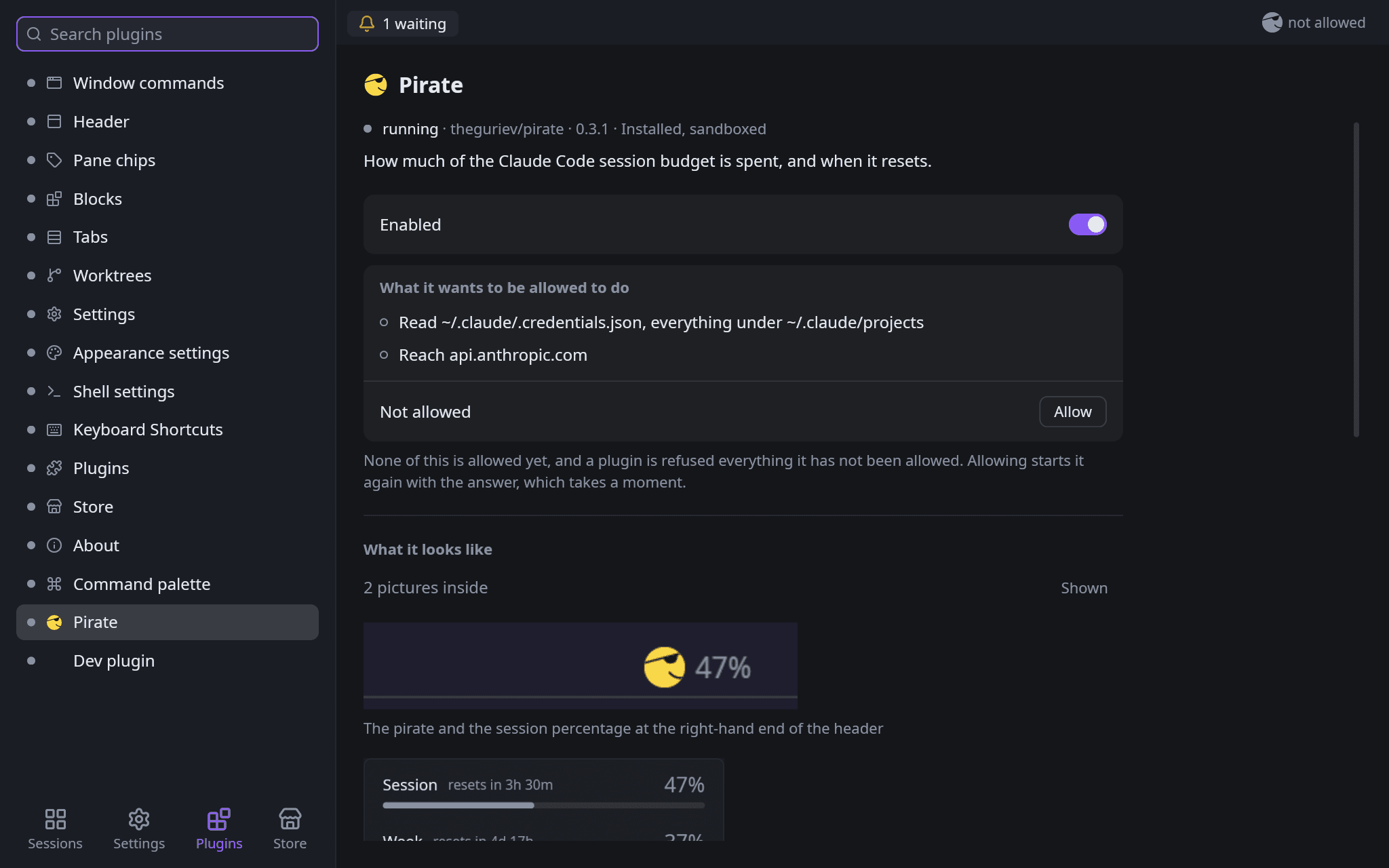
What the pirate draws in the header: the host’s own artwork by name, and one number it asked permission to read.
The parts a terminal has to get right anyway.
xterm-compatible: colour, bold, italic, underline, strikeout, the alternate screen, ten thousand lines of scrollback, SIGWINCH on resize.
cmd+d and cmd+shift+d. A shell that exits closes its pane, its tab, and with the last tab the window.
OSC 0, 2 and 7: what you called it, else what the agent calls its work, else what it is running, else the directory it sits in.
No strip of system chrome. Drag its empty space to move the window; macOS keeps its traffic lights exactly where every Mac app has them.
A worktree opened from a tab folds the two into a group with a count. Drag a row in, past the edge to take it out.
--snapshot renders one frame of the real view tree to a PNG. Every screenshot on this page was made that way.
Get Crook
The script reads the latest release, checks the archive against the SHA256SUMS published beside it, and puts the binary in ~/.local/bin.
macOS
Signed, notarized and stapled. Opens on a double click with no dialog and no network. Drag it to Applications.
Download the .dmgLinux
The install script, or the .tar.gz with the bare binary from the releases page.
curl -fsSL https://raw.githubusercontent.com/theguriev/crook/main/script/install | shWindows
The frameless window and shell integration are built for it and not yet run on it. The architecture notes say what was checked instead.
Download the .zipBuilding it yourself is cargo build --release with a stable Rust toolchain and no build scripts. script/run starts it from the checkout; --snapshot draws a frame to a PNG without opening a window.